
Focus Mode (Rin)
Rin (臨) is Bokuchi’s distraction-free focus mode. It hides everything around the editor — the header, the formatting toolbar, the tab sidebar, and the side panels — so nothing but your text remains.
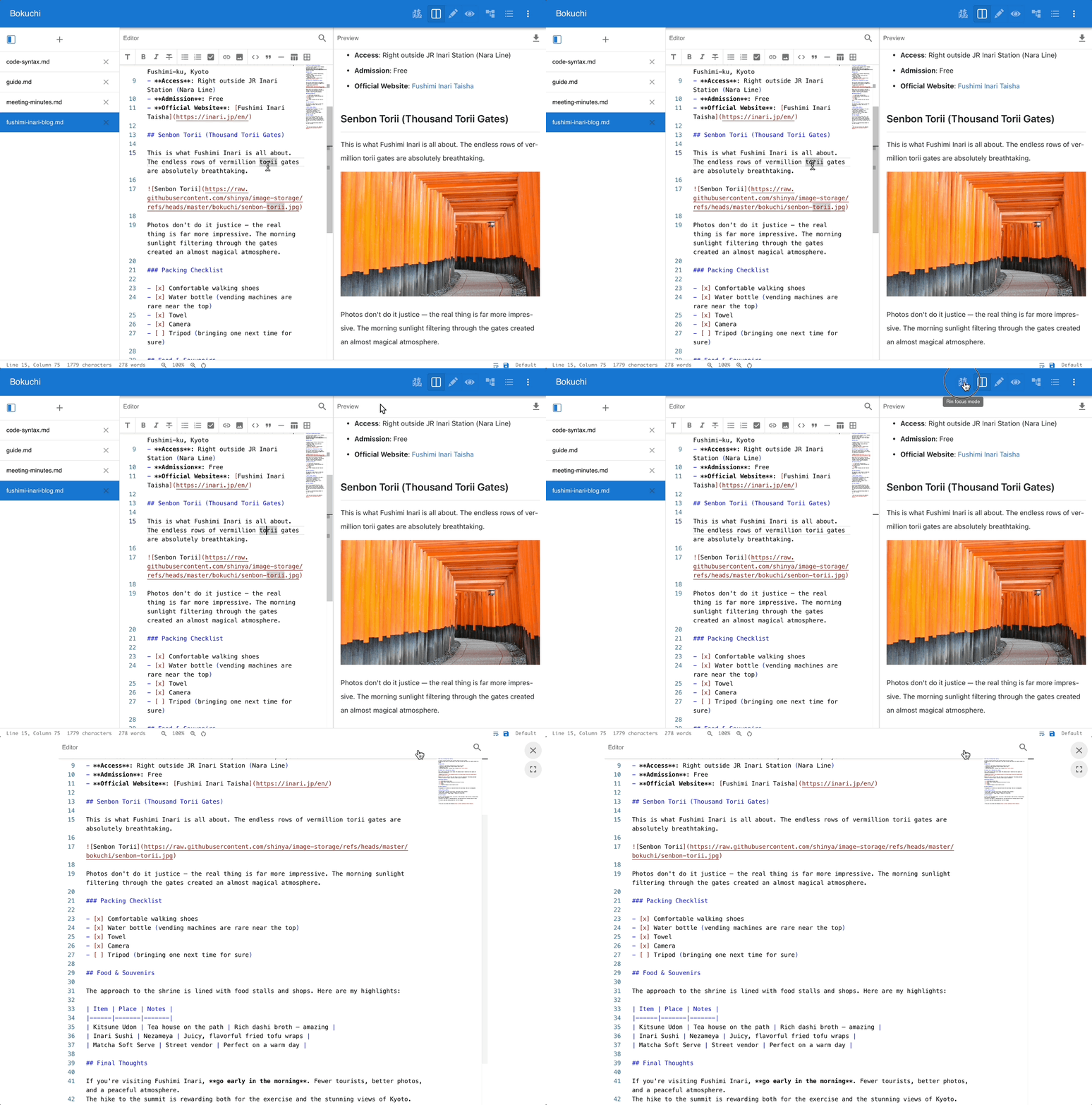
Entering Rin Mode
Section titled “Entering Rin Mode”Click the Rin button (the 臨 calligraphy icon) in the top toolbar.
Everything around the editor slides away and the editing area expands to fill the window.

Exiting Rin Mode
Section titled “Exiting Rin Mode”There are two ways to leave:
- Press Esc, or
- Click the Exit Rin button in the top-right corner
The exit button fades out shortly after you start typing so it stays out of your way, and reappears when you move the mouse.
While You’re in Rin Mode
Section titled “While You’re in Rin Mode”- A Toggle editor width button (just below the exit button) switches the editor between full width and a narrower, centered column — handy for comfortable line lengths when writing long-form text.
- The formatting toolbar is hidden automatically, even if it’s normally enabled. Your setting is restored when you exit.
Rin mode is a temporary, per-session state — it is not saved between launches.
Next Steps
Section titled “Next Steps”- Editor & Preview — View modes and the editing experience
- Settings — Customize the editor and interface
- Keyboard Shortcuts — Full shortcut reference