
Outline Panel
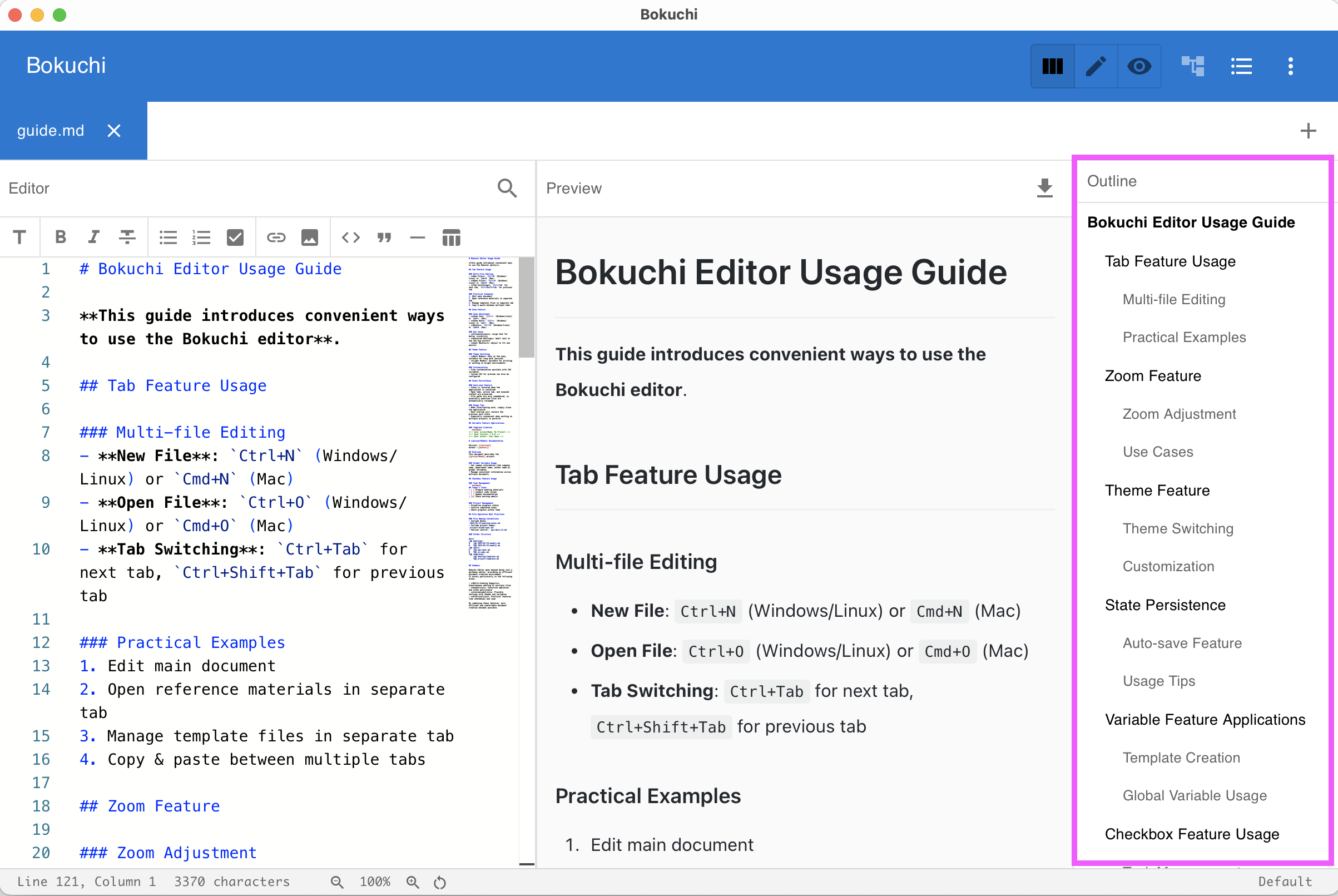
The outline panel shows the heading structure of your current document as a tree. It updates in real time as you type.
Opening the Outline
Section titled “Opening the Outline”Press Ctrl+Shift+O to toggle the outline panel, or use the menu. The shortcut switches between Off and your chosen display style (Always visible or Overlay), so it remembers how you like the panel to appear.
Using the Outline
Section titled “Using the Outline”- Headings (H1–H6) appear in a hierarchical tree
- Click any heading to jump to that position in the editor
- The outline updates automatically as you add, remove, or change headings
Display Modes
Section titled “Display Modes”You can configure how the outline panel appears:
| Mode | Description |
|---|---|
| Always visible | Always shown as a side panel |
| Overlay | Appears on top of the content when toggled |
| Off | Hidden — and stays hidden after you restart Bokuchi |
Change the display mode in Settings > Interface > Outline Display Mode.
Next Steps
Section titled “Next Steps”- Folder tree — Browse files from a directory
- UI overview — See where the outline fits in the interface